Walbi Boost: Trade Bitcoin Up or Down in Seconds
Walbi Boost lets you trade Bitcoin up or down for 5 seconds, 30 seconds or as long as you like. Pick a direction, set the leverage and see the result fast.
What is Walbi Boost?
Boost is a separate tab in the Walbi app for quick trades on price direction. You pick an asset, tap Up or Down, set an amount and leverage, and choose how long the trade runs. You don't place orders or set up margin: the ticket has five settings, and the trade opens with one tap.
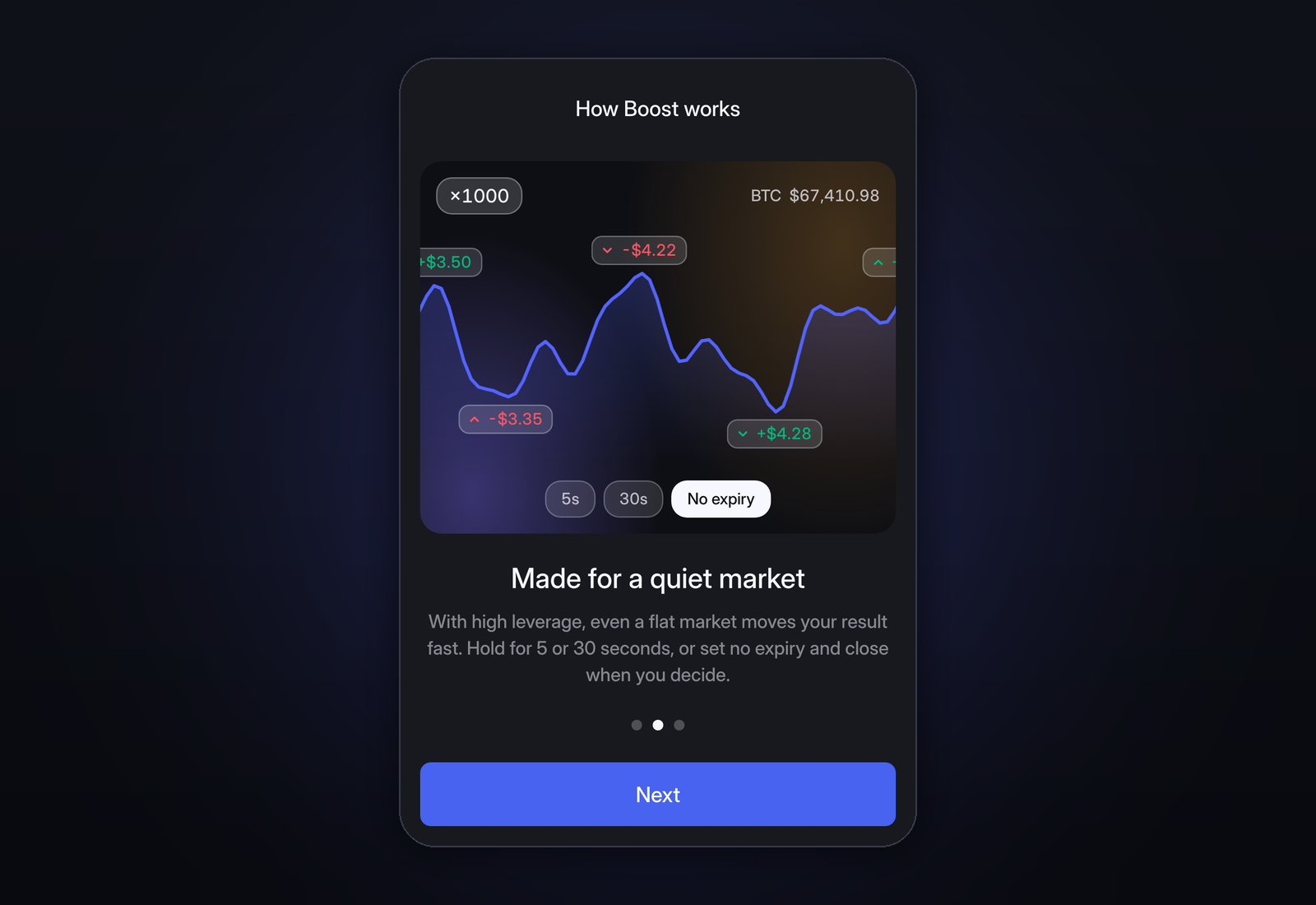
The onboarding screen calls it "Small moves, big results" and says Boost is made for a quiet market: with high leverage, even a flat market moves your result fast. With ×100, for example, a 0.5% move in Bitcoin changes the result on your amount by 50%.
How to open a Boost
In the Walbi mobile app, Boost has its own tab in the bottom bar (on desktop it is in the top menu). Tap the amount line between Up and Down to open the ticket. A trade takes five steps:
- Pick the asset. Bitcoin is selected by default. The search icon next to its name opens the rest: ETH, BNB, SOL, XRP, DOGE, SUI, AAVE, UNI, NEAR, HYPE, gold (PAXG and XAU) and oil (CL). New assets are added regularly.
- Set the amount. From 1 to 10,000 USDT. The ½, 2× and Max buttons change it in one tap.
- Set the leverage. The slider goes up to ×1000. The higher the leverage, the more each price move changes your result.
- Choose the duration. 5 seconds, 30 seconds or No expiry.
- Tap Up or Down. Up if you think the price will rise, Down if you think it will fall.
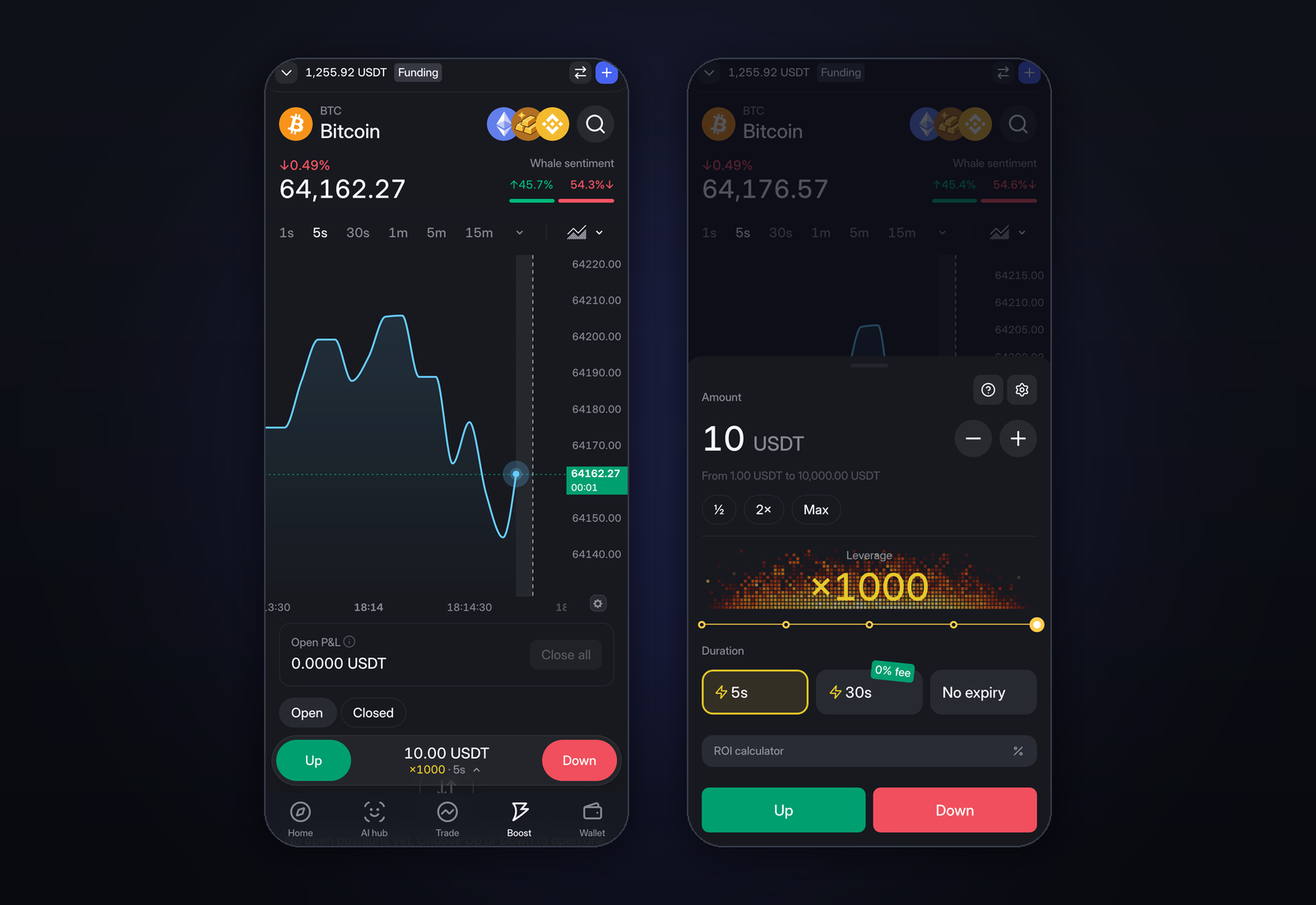
Boost trades straight from your Funding account, so there is no separate wallet to top up. If your USDT is on the Trading account, move it to Funding first. Transfers between the two are free.
Quick Boost vs No expiry
There are two formats. Quick Boost is for a single short call, No expiry is for a position you want to manage yourself.
| Quick Boost (5s / 30s) | No expiry | |
|---|---|---|
| Duration | 5 or 30 seconds | Until you close it |
| How it closes | Automatically when the timer ends | By you, or by take profit / stop loss |
| Shown before you open | Maximum payout | Liquidation price |
| Take profit / stop loss | Not needed | Yes |
| Partial close and flip | No | Yes |
Quick Boost: 5 or 30 seconds
You choose Up or Down and the timer starts. When it runs out, Boost settles the trade by itself. There is nothing to watch or close.
- Payout: depends on how far the price moved and on your leverage.
- Maximum payout: shown on the ticket before you open, so you know the upside in advance.
No expiry: a position you manage
No expiry stays open until you close it, and comes with the tools of a regular leveraged position:
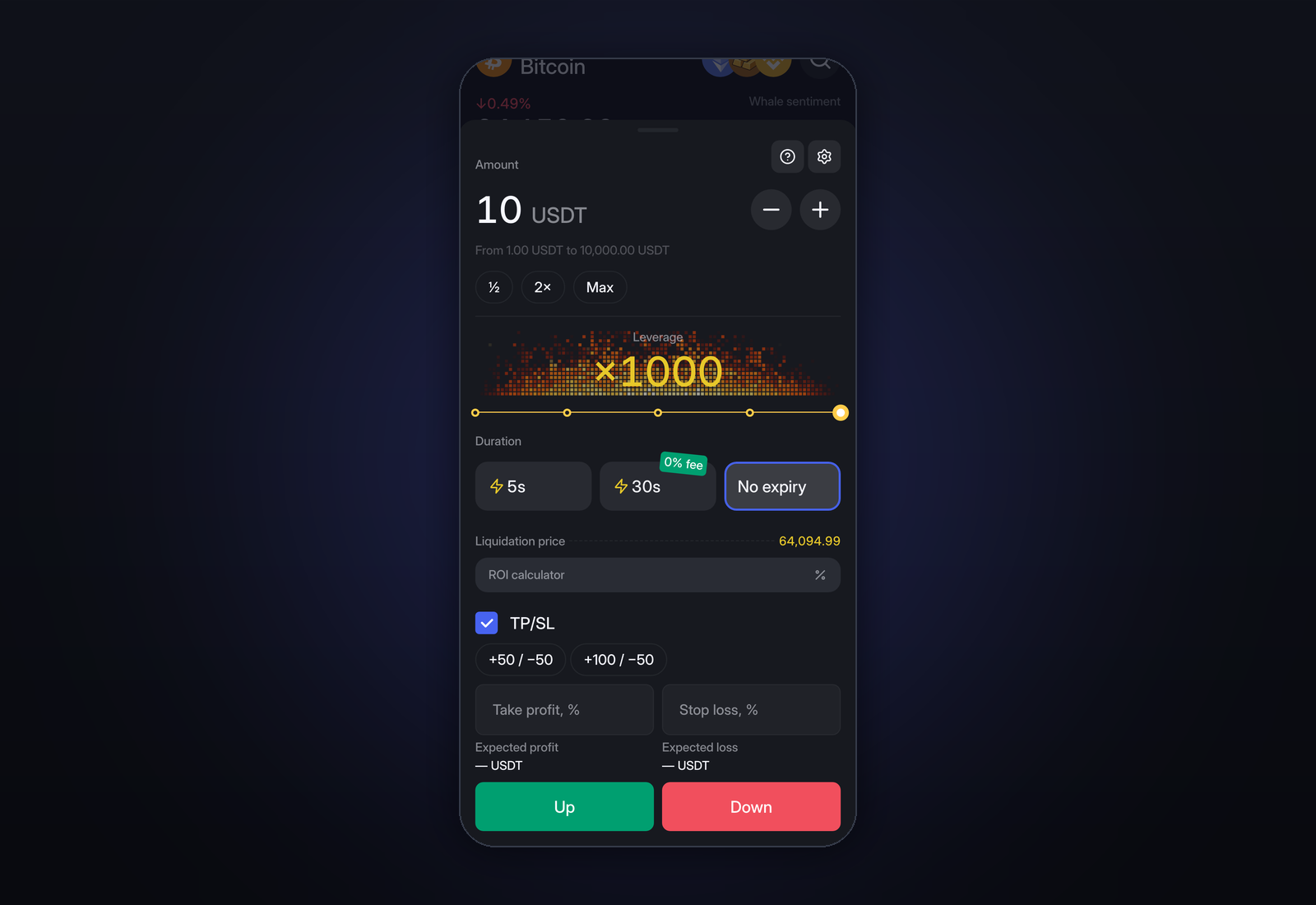
- Take profit and stop loss. Tick TP/SL on the ticket and pick a preset or enter your own levels in percent. The ticket shows the expected profit and loss for each. Our guide to stop-loss orders explains how to choose a level.
- Partial close. Take part of the position off and leave the rest running.
- Flip. Switch from Up to Down, or back, in one tap.
- Liquidation price. Shown on the ticket before you open. If the price reaches it, Boost closes the position automatically.
Reading an open Boost
Open trades appear under Open below the chart. For each one you see:
- the direction, Up or Down;
- the amount and the leverage;
- the entry price;
- the liquidation price, where Boost closes the position;
- P&L, the current profit or loss in USDT and as a percentage of the amount;
- the payout, what you would get back if you closed now: the amount plus or minus P&L.
For example, if an Up Boost of 20 USDT at ×300 is 1.16 USDT down, closing it now would return 18.84 USDT. The Open P&L panel above the list shows the total for all trades and has a Close all button.
For a refresher on how profit and loss are calculated, see what PnL is and how to calculate it.
How leverage works in Boost
Leverage multiplies the effect of a price move on your amount. Here is how big a move has to be to change the result by the full amount:
| Leverage | Price move equal to 100% of the amount |
|---|---|
| ×10 | 10% |
| ×100 | 1% |
| ×300 | about 0.33% |
| ×1000 | 0.1% |
Leverage works in both directions. At ×1000, Bitcoin only has to move 0.1% to change your result by the whole amount, up or down. On a No expiry Boost, the position is closed a little before that point, at the liquidation price shown on the ticket.
If you are new to Boost, start with a small amount and moderate leverage, open a few 30-second trades and see how fast P&L moves. Then decide which leverage suits you. The guide to crypto leverage trading explains how leverage works on regular perpetual contracts, and the risk management tips cover position sizing.
Boost, Trade or AI agents
- Boost fits a short-term view on direction: a few taps, a clear result, no margin settings.
- Trade fits a full position with order types, your own margin settings and longer holding periods.
- AI agents fit a strategy that should run around the clock without you. You can build one from a prompt or pick one in the AI hub marketplace.
All three use the same Walbi account, so you can try Boost with a small amount without changing how you trade elsewhere.
Frequently asked questions
What is Boost on Walbi?
Boost is a Walbi feature for trading the direction of a price. You choose Up or Down, an amount from 1 to 10,000 USDT, leverage up to ×1000 and a duration: 5 seconds, 30 seconds or No expiry.
What is the difference between Quick Boost and No expiry?
Quick Boost runs for 5 or 30 seconds and settles by itself when the timer ends. No expiry stays open until you close it and supports take profit, stop loss, partial close and flip.
Which assets can I trade with Boost?
Bitcoin, Ethereum, BNB, Solana, XRP, Dogecoin, SUI, AAVE, Uniswap, NEAR and HYPE, plus gold (PAXG and XAU) and oil (CL). New assets are added regularly.
What are the minimum and maximum amounts?
From 1 USDT to 10,000 USDT per Boost.
Why do I need the Funding account?
Boost trades straight from the Funding account. If your USDT is on Trading, move it to Funding first. Transfers between them are free.
How does leverage affect a Boost?
It multiplies the effect of the price move in both directions. At ×1000, a 0.1% move changes the result by the whole amount. If you are just starting, try lower leverage first and see how the price moves on short trades.
Put these ideas to work, let an AI agent trade for you.
Get started →