Win Rate
84%
share of profitable trades
Walbi × Traffic Light · Beginner guide

New to Walbi or to DCA? This is a plain, step-by-step guide from sign-up to a running agent. The agent does not predict price and does not use stop-losses: it averages into a move, waits for the bounce, and closes at its target. Positions sit in the red along the way; the agent holds them until it can close in profit.
Win Rate
84%
share of profitable trades
Profit Factor
2.69
profit outweighs loss by 2.69x
Max Drawdown
2.6%
historical maximum drawdown
Traffic Light vs Traffic Light Custom
Same strategy underneath. The two versions differ only in how aggressively you choose to trade.
Customer journey
Six steps from sign-up to a running agent. Along the way you will see where to double-check everything before anything goes live.

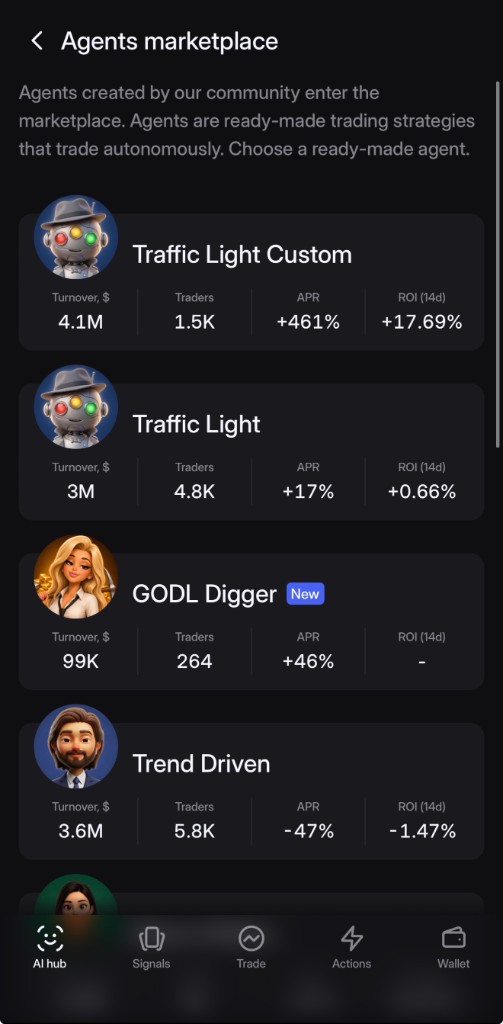
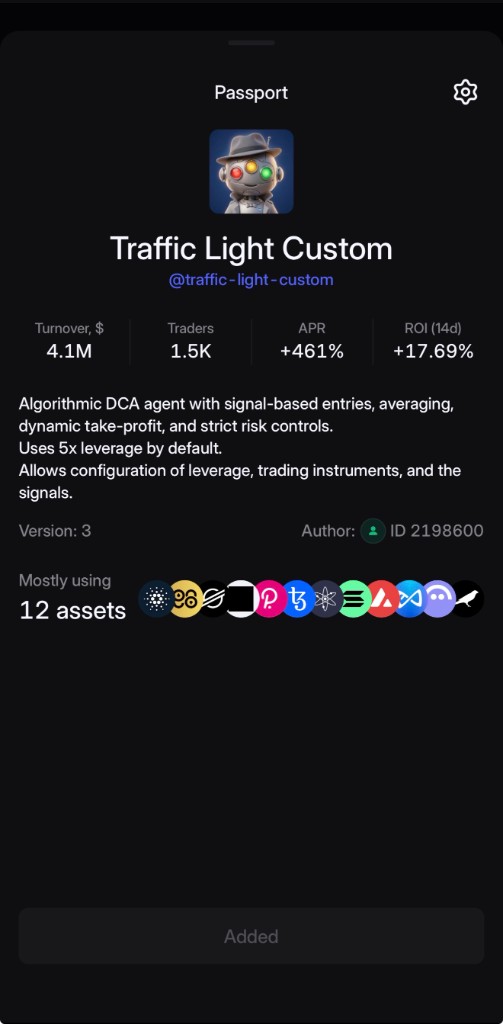
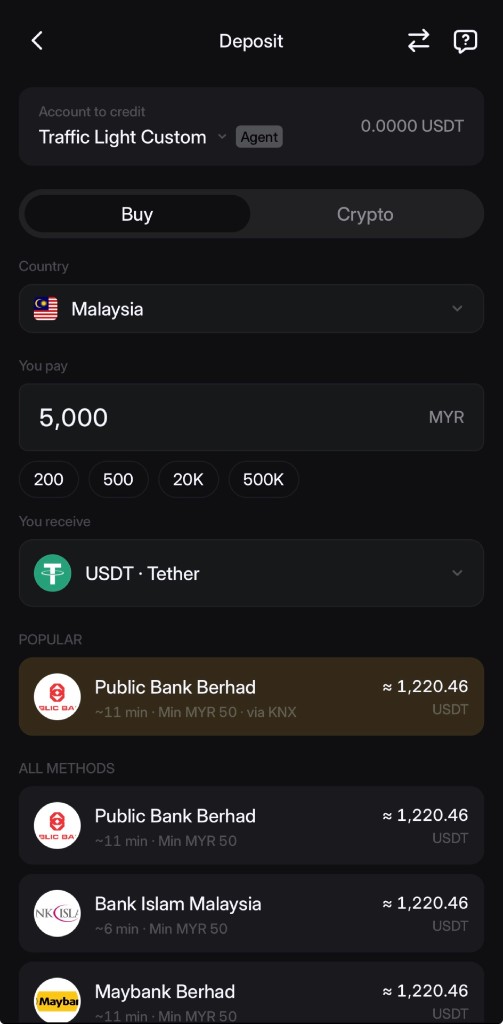
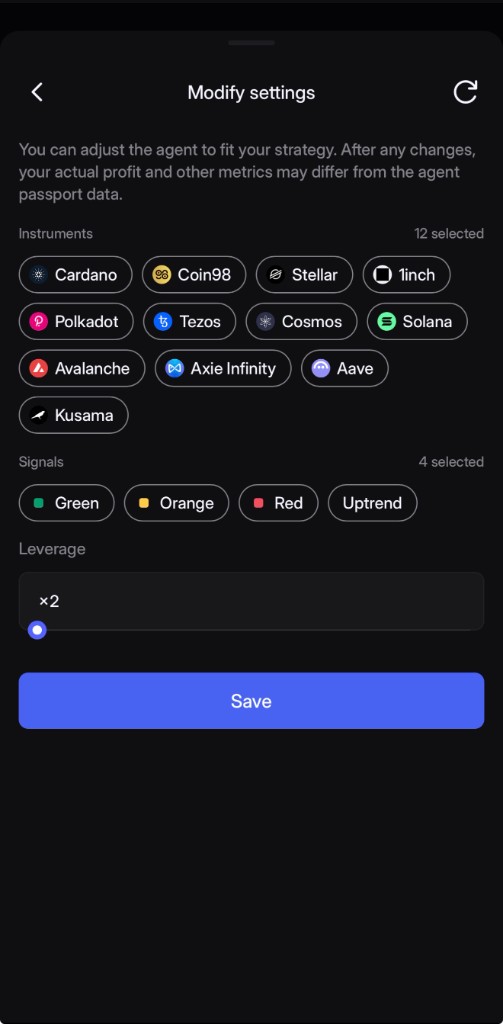
Video Guide
This section will show the full workflow in video format.
DCA mechanics
DCA does not try to time the perfect entry. The agent works a grid: it adds against the move, lowers the average, and recalculates the exit.
The agent receives a strategy signal and opens the initial position using Traffic Light logic.
If price temporarily moves against the entry, the agent adds size according to the predefined DCA grid.
After each averaging entry, the average entry price and take-profit target are recalculated.
When price reaches the updated target, the full position is closed.
By default the agent runs 2 simultaneous positions, and Traffic Light Custom lets you set anywhere from 1 to 5. Under volatility, free margin is consumed faster, and the full DCA grid may need extra reserve. If a margin call is hit, the agent can automatically top up funds from your funding account, so the grid keeps running.
Risk management
The default preset runs 2 simultaneous positions and Custom lets you go up to 5, but the core grid logic was built around a single active position. Extra free margin is important.
If you increase simultaneous positions, each position may have less room for a full DCA grid. Extra deposit may be required.
When free margin gets tight, the agent alerts you. This is a signal to revise settings before high volatility.
Lower leverage and/or reduce the limit of simultaneous positions. This increases free margin reserve for the DCA grid.
Calculator
Enter a past-period return and deposit amount. The calculator shows two scenarios: linear and compound growth.
Scenario: return 14.15% repeats every 14 days.
After 30 days · linear
Profit
After 30 days · compound
Profit
After 365 days · linear
Profit
After 365 days · compound
Profit
Active point
day 0
Linear
Compound
Next step